
Ever felt a jolt of stress at the sight of dozens of unread messages? Whether it is Slack pings or email alerts, notification overload has become the new normal. And yet rushing to answer every ping may be hurting you more than it helps.
The hidden cost of instant replies
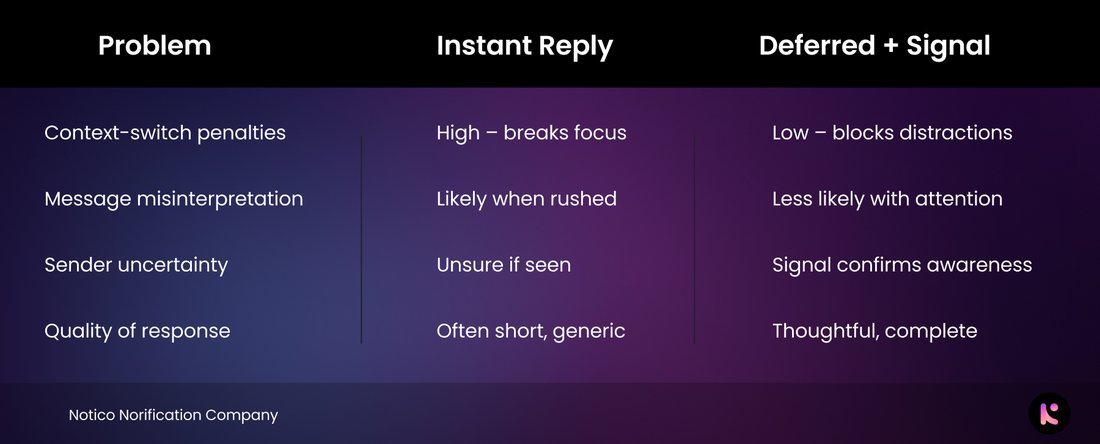
Psychology studies and enterprise surveys keep pointing at the same thing: as message volume climbs, replies get shorter and less thoughtful, even when they are sent faster. Notification fatigue chips away at your ability to enter deep focus, and that is the first step toward full information overload. Speed, it turns out, is not the same thing as responsiveness.
Post-It notes: the analog Slack trick
Remember sticky notes? You jot a reminder, stick it aside, and come back when you have time. That is asynchronous communication in its simplest form. Treat your notifications the same way:
- Capture the message, a quick tap to save it.
- Declutter your mind by letting non-urgent alerts wait.
- Schedule a response time, when you are actually ready to give a good one.
This simple loop kills false urgency and keeps your focus intact.
How to defer like a pro
A few small habits make deferral effortless:
- Designate sync blocks. Spend 30 minutes at the start and end of the day catching up, and flag anything that needs more than five minutes for later.
- Use save-for-later flags in Slack, email and tools like Notico, so nothing important quietly slips away.
- Send a quick signal. A ✅ or ⏳ tells the sender you have seen it and will follow up, so no one is left wondering.
Tools that support a save-for-later workflow
Lean on tools that let you pause and defer instead of reacting on reflex:
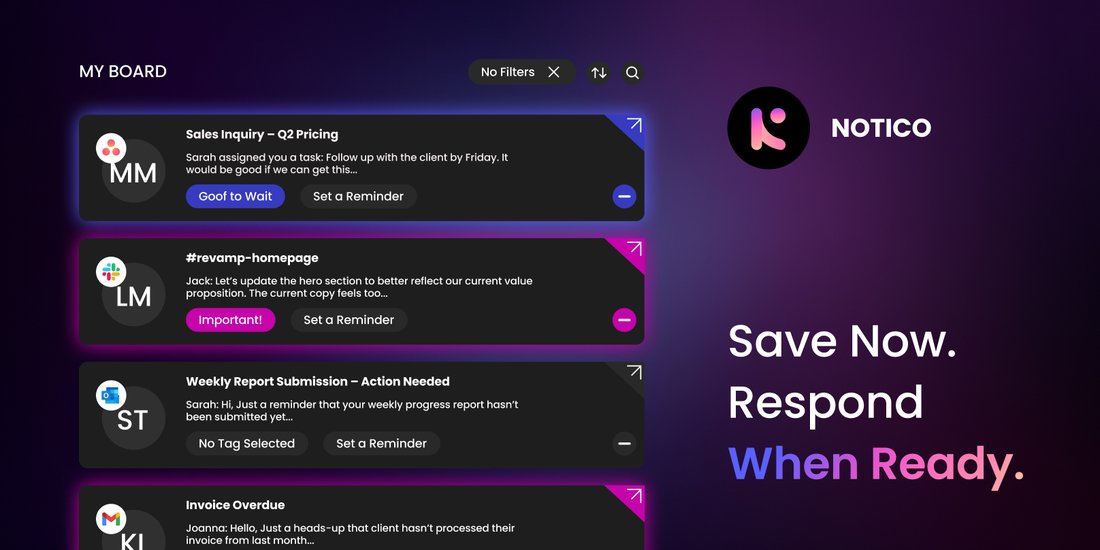
- Notico centralizes your alerts, lets you mark items as saved, and schedules follow-ups.
- Slack and email settings: mute non-essential channels and switch to keyword-only alerts.
- Task managers or Post-It style boards where saved items stay put until you review them.
Ready to rescue your focus?
Try a one-day experiment. Respond only to quick, under-five-minute notifications or the ones you have flagged. Everything else gets saved and scheduled for later. At the end of the day, ask yourself:
- Did your focus improve?
- Did your replies feel clearer?
- Did the message anxiety drop?
Turn a messy notification stream into a calm, organised workflow
Notico brings smart save-for-later, message flags and sync reminders into one inbox, so you stay in control without losing the thread.
Join the waitlist, free early accessWhich notification would you save for later right now, instead of answering on reflex?